01
The SOP is the mission
Tasks come from your procedure template, not a blank form. Open the arrival SOP, set the principal, flight, vehicle and driver, and the eight tasks, their owners and their timings are already in place.
Executive protection software
Most EP platforms are built around the advance: surveys, routes, positions on a map, a briefing PDF. LiveSOP™ takes over where they stop. The detail runs as a live mission, so when the inbound is delayed 90 minutes the plan re-times itself, the right people are told, and the one decision that needs a human is routed to the duty officer.
Where EP software usually stops
An advance survey, a route, a hotel review, positions on a map. The field has good tools for that now, and they have replaced a lot of spreadsheets and group chats.
But an advance is a description of the plan. It cannot tell you that the inbound is delayed, that six tasks just moved, that the driver’s duty window no longer covers the new arrival, or who is supposed to decide what to do about it. At 13:48 the plan is back in the team lead’s head and the chat thread.
LiveSOP is built for 13:48.
Activity Rail · executive transport, LAX arrival
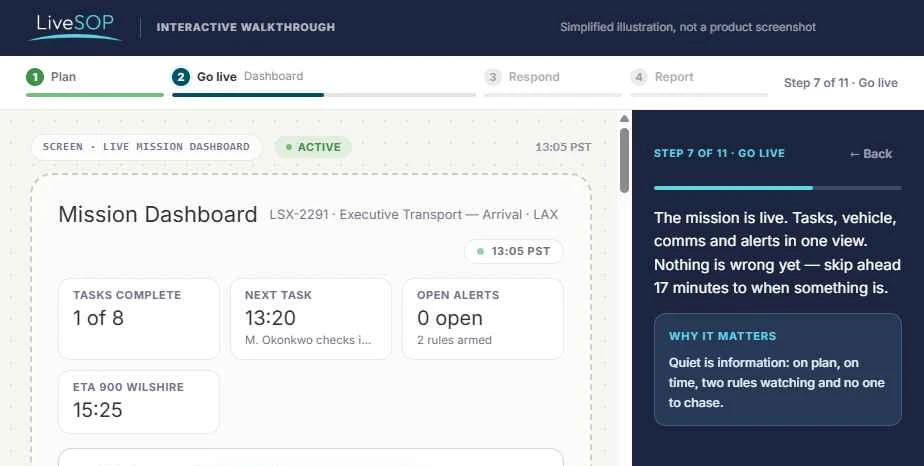
From the interactive walkthrough. Every timing is derived from the 14:20 arrival, then from the delay.
What is different
Tasks come from your procedure template, not a blank form. Open the arrival SOP, set the principal, flight, vehicle and driver, and the eight tasks, their owners and their timings are already in place.
Every task is timed off the mission variables. Move the arrival and every dependent task moves with it. Nobody edits a timeline by hand at 13:48.
A flight delay is not an alert to interpret. It lands as what moved, who is affected and what the procedure says to do, waiting for one approval.
Re-timing is automatic. Who stands the detail for the extra 90 minutes is not. LiveSOP lists the options the SOP allows, marks the one the duty-time rule forbids, and puts the choice in front of the duty officer.
When inbound flight is delayed, notify Ops desk, Driver and Embassy liaison by email and push. Hide principal detail from external participants. Decided in planning, checked by anyone, enforced while it runs.
Assignments, confirmations, changes and the authorization join the Activity Rail as they happen. The after-action report is an export. Fix the step that failed in the template once, and every future detail inherits it.
Side by side
The left column describes the EP platforms built around the advance. The right is LiveSOP. Where the information is the same, the difference is what happens to it once the movement is under way.
Typical EP platform
Built by hand for each movement, and updated by hand when it changes.
LiveSOP
Generated from the SOP template and timed off the mission variables. Re-timed when they change.
Typical EP platform
Captured in survey forms and a briefing PDF.
LiveSOP
Held as mission items the tasks reference. When the arrival point moves, the step that says “collect principal at arrival point” is still correct.
Typical EP platform
Positions of people and vehicles.
LiveSOP
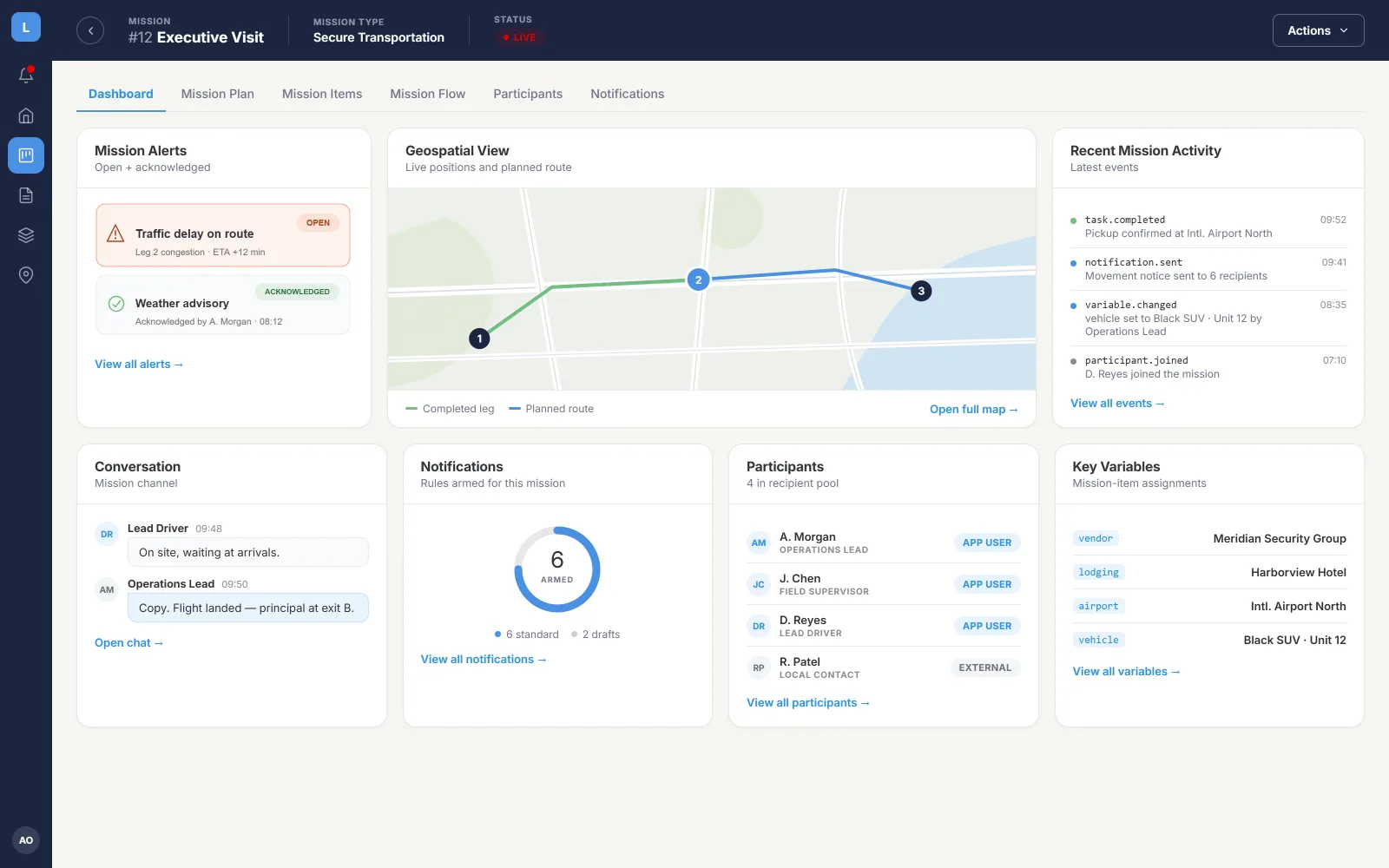
Positions, plus status against the clock: which task is late, which is blocked, and what that breaks next.
Typical EP platform
A notification. The team lead works out what it means and messages the detail.
LiveSOP
Six dependent tasks re-time. The rule notifies the five people it concerns. The cover decision is routed to the duty officer with the forbidden option marked.
Typical EP platform
Whoever is in the group chat.
LiveSOP
Notification and visibility rules written in planning: who is told, on which channel, and what an external participant is not allowed to see.
Typical EP platform
Contacts in a notes field.
LiveSOP
The driver, the hotel and the embassy liaison join as participants without accounts, see only their assignment, and their confirmations land in the mission.
Typical EP platform
A report someone writes from memory and the chat log.
LiveSOP
The Activity Rail is the report: owners, timings, decisions and their basis, exported.
Typical EP platform
Executive protection only.
LiveSOP
The same operating model runs the rest of the security function: travel risk, a facility threat, accounting for a workforce after an incident, an event.
Interactive walkthrough · 11 steps · 2–4 minutes
Plan the LAX arrival from a saved SOP, go live, handle a missed driver check-in and a delayed inbound, decide who covers the new window, and read the report. Runs in your browser, no sign-up.
Beyond the detail
A movement is one procedure the GSOC runs. LiveSOP runs the rest with the same model: a traveller in a disrupted region, a threat to a facility, a workforce to account for after an incident abroad, an event. Not a silo for the EP team; one system the duty officer, the travel desk and the detail work from, with one record at the end.
See the other five marketsQuestions
The walkthrough uses our scenario. A demonstration uses your itinerary, your SOP and your escalation path, with the inbound delayed on purpose.